Cancelling a DR in progress
Stopping a restore started by mistake, what gets deleted, what stays running in the cloud and what happens to the backups.
Sooner or later you start a restore on the wrong DR, or you find out the server was not really down. As long as the restore has not finished you can step back from the same page, with the Stop DR process button in the action bar at the top.
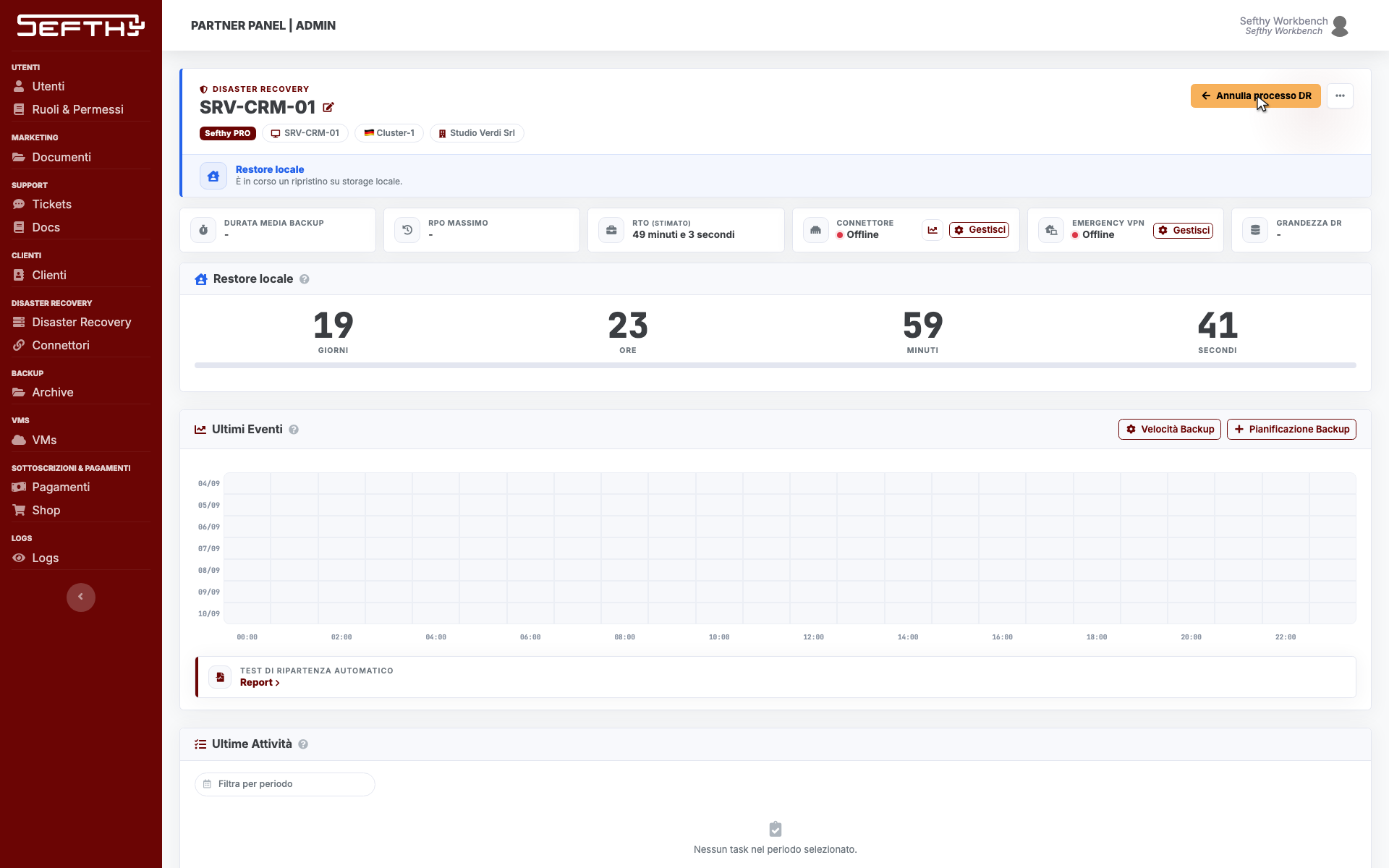
When the button is there
It shows up in two situations. During a cloud restore, from the moment the restore machine is ready and the page asks you for a snapshot, and during a local restore, from the moment the USB stick session is open. It disappears as soon as the restore is finished, because from then on the way to close the cycle is the return on premises.
In the early stage, while the banner says Preparing DR, the button is not there yet. Wait for the environment to be ready.
You need the permission to start a DR, the same one Initiate DR needs. Without it the Console refuses the confirmation.
What happens when you confirm
- Click Stop DR process. The confirmation window opens, with different wording depending on whether you are cancelling a cloud restore or a local one.
- Click Confirm.
On a cloud restore the restored virtual machine is powered off and deleted. The DR goes back to its previous state and Initiate DR becomes available again.
On a local restore the USB stick session is closed and the code cancelled. The ISO finds out on its next connection and goes back to the code screen. To start again you generate a new code.
In both cases the temporary registration created for the restore is removed, so the customer’s device count goes back to normal.
What stays and what does not
The backups are untouched. So is the original server, cancelling only acts on the cloud side and on the restore session.
What disappears is the cloud machine with everything you wrote inside it in the meantime. If somebody worked on it during those hours, that work is lost, so check before you confirm. The recovery days counter follows the machine too, it goes with it and starts from zero on the next restore.
The Emergency VPN machine, if the restore had brought it up, is not shut down. It belongs to the connector rather than to the single restore, and you manage it from the connector page in the VPN & Access card.
Ending a DR test
The DR test has a button of its own, End DR Test, which deletes the test machine and puts the DR straight back into the protected state. The test still counts against the month even if you close it after five minutes. The full round is in Disaster Simulation.
If the automatic test is running
While Sefthy runs its own restore test the DR page stays blurred and has no action bar. In the middle you get the notice that an automatic check is in progress and the Stop automatic restore button, which stops the test and gives you the DR back. The interrupted run still ends up in the report history, without the data the test would have collected, so use it only when you really need the DR at that moment.